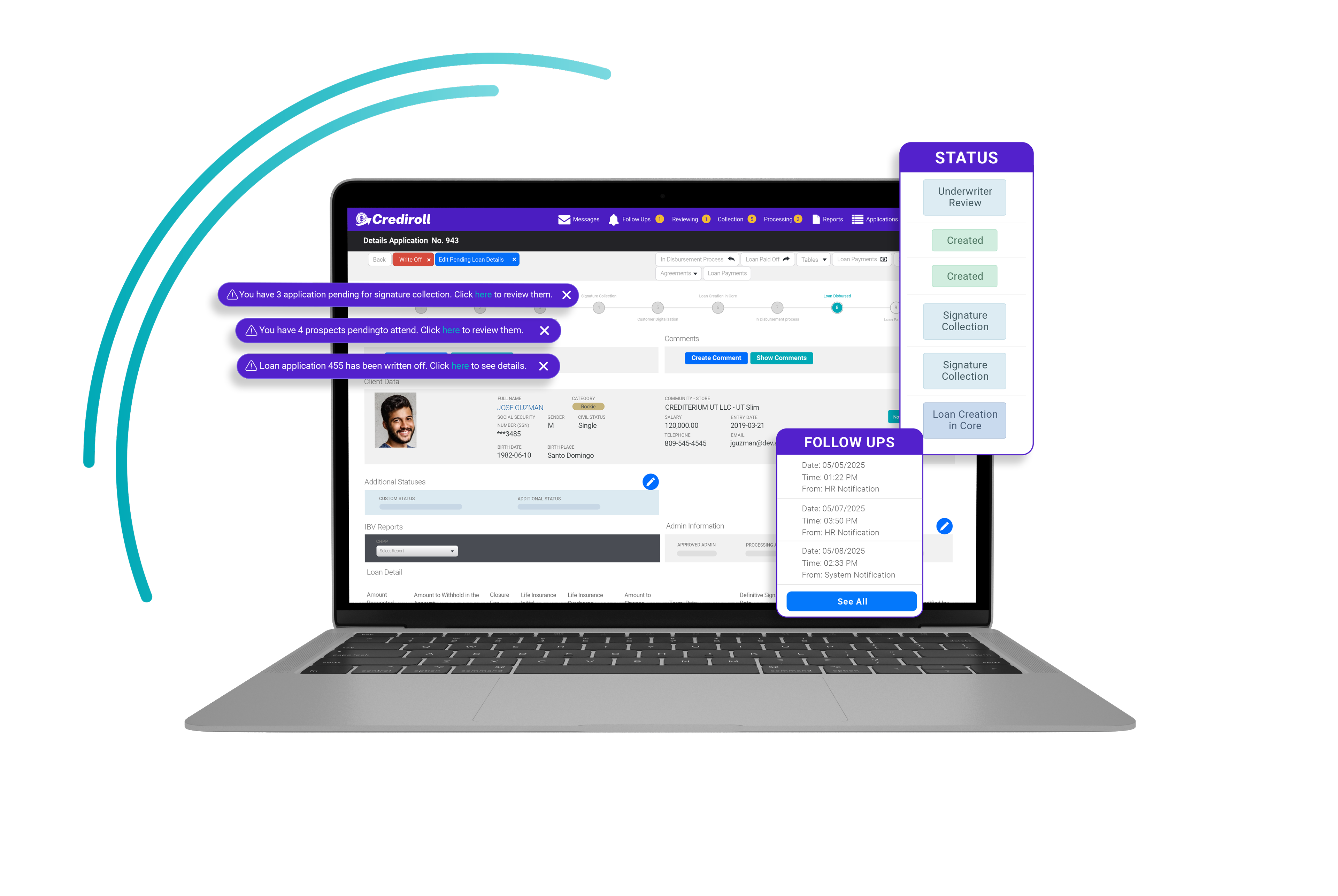
Platform: Automated Collection
Keep Every Payment
on Track
Manage upcoming installments, pending payments, payment records, and account balances from one connected collection workspace. Crediroll gives your team the tools to track what is due, register what has been paid, identify what remains pending, and keep payment information aligned with the Core.
Request demo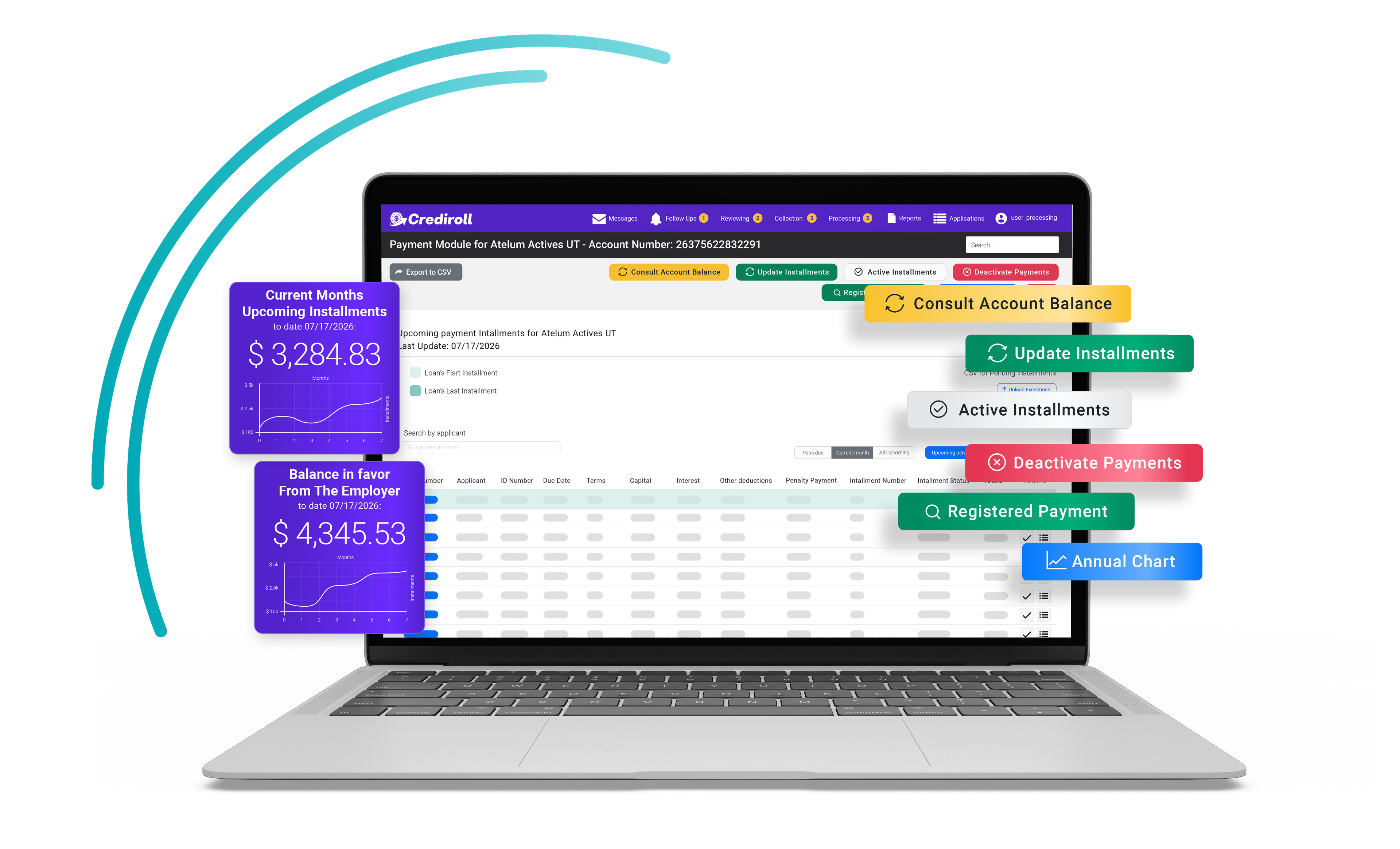
The Collection Workspace
Every Payment, One Connected View
Crediroll centralizes the information your team needs to manage loan repayments—from upcoming installments and pending payments to registered payments and account balances.
Your team can review what is due, register payments as they are received, track pending amounts, consult balances, and export payment information when needed—all from one place.
 Request demo
Everything You Need to Manage Loan Payments

Upcoming Installments
See upcoming payments across the loan portfolio, including due dates, amounts, installment status, and payment details.

Pending Payments
Identify installments that have not yet been paid and keep them visible until they are resolved.

Payment Registration
Register payments received by the lender and connect them to the corresponding loan and installment.

Account Balance
Consult account balances and compare payment information with the balance reported by the Core.

Payment Records
Keep registered and processed payment information organized and accessible for your team.

CSV Export
Export payment information for reporting, reconciliation, or delivery to the lender.
Automated Payment Registration
Register Payments, Keep Every Payment Accounted For
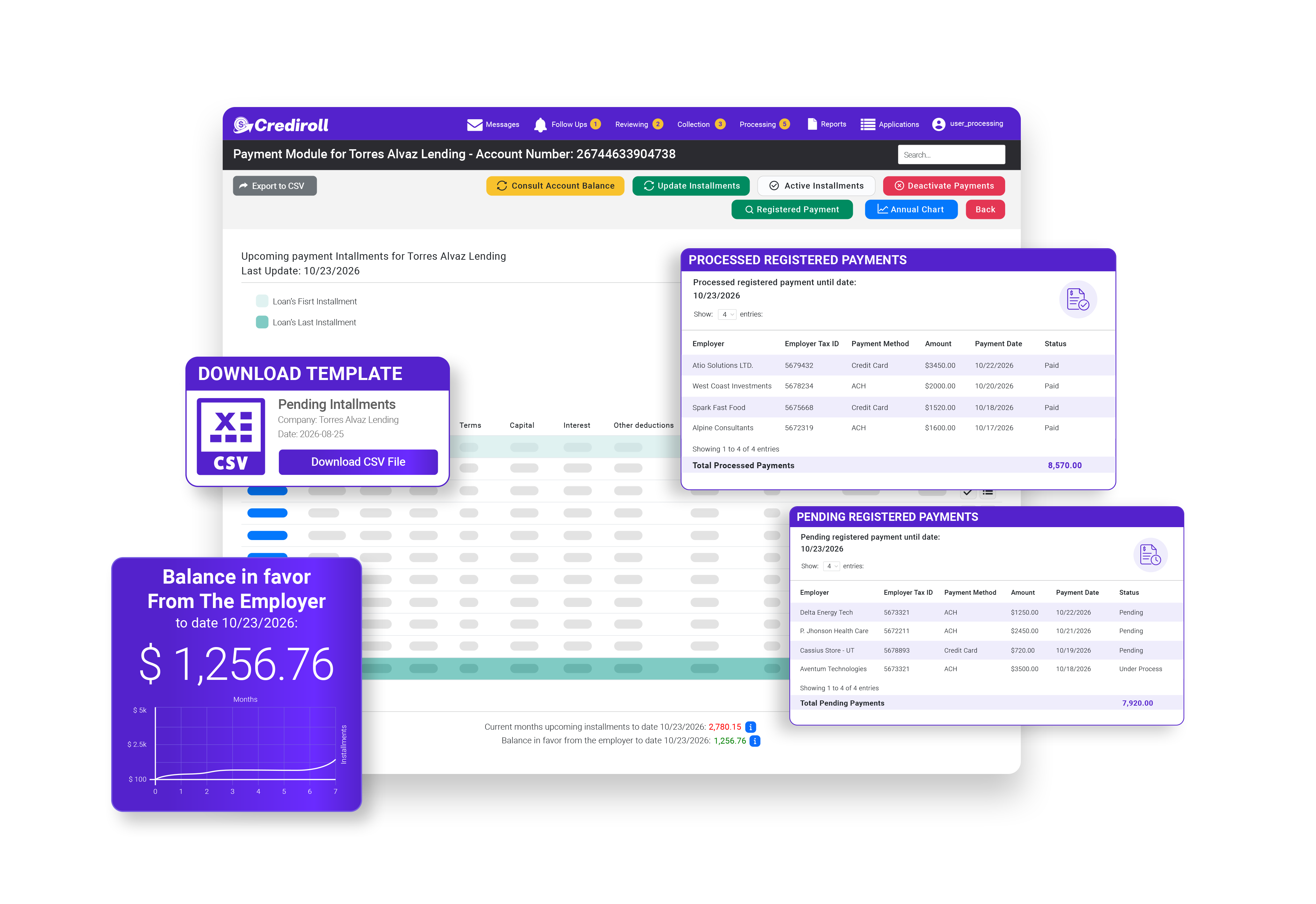
When a lender receives a payment, the team can register it directly in Crediroll and associate it with the corresponding account and loan information. Once registered, the payment becomes part of the loan's payment record, making it easier to track what has been received and what remains outstanding.
Request demo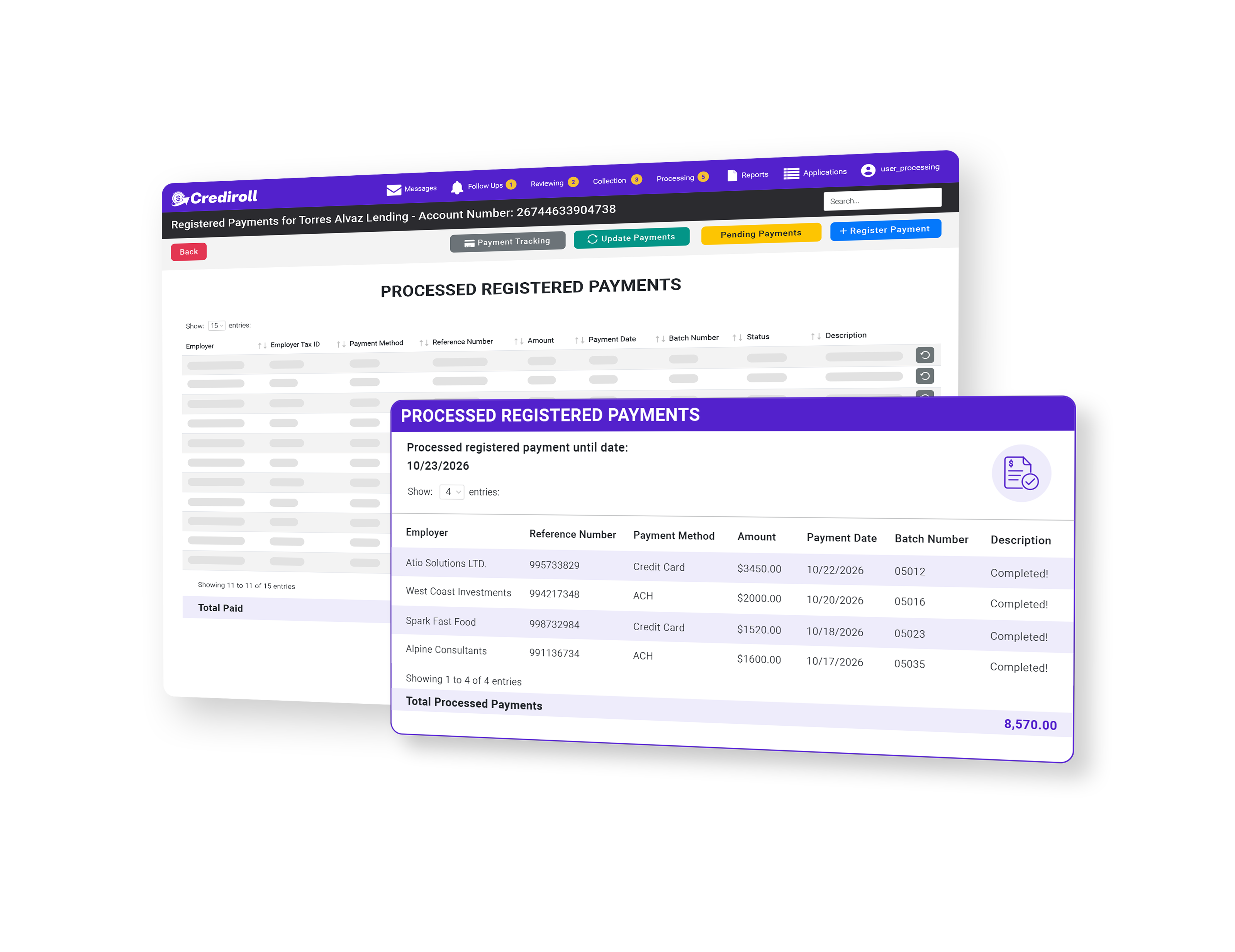
Pending Registered Payments
Stay Alert Regarding Any Outstanding Debt
Keep unpaid and pending installments visible in one place. Crediroll helps your team identify what is still outstanding, review payment details, and keep collection activity organized.
Request demo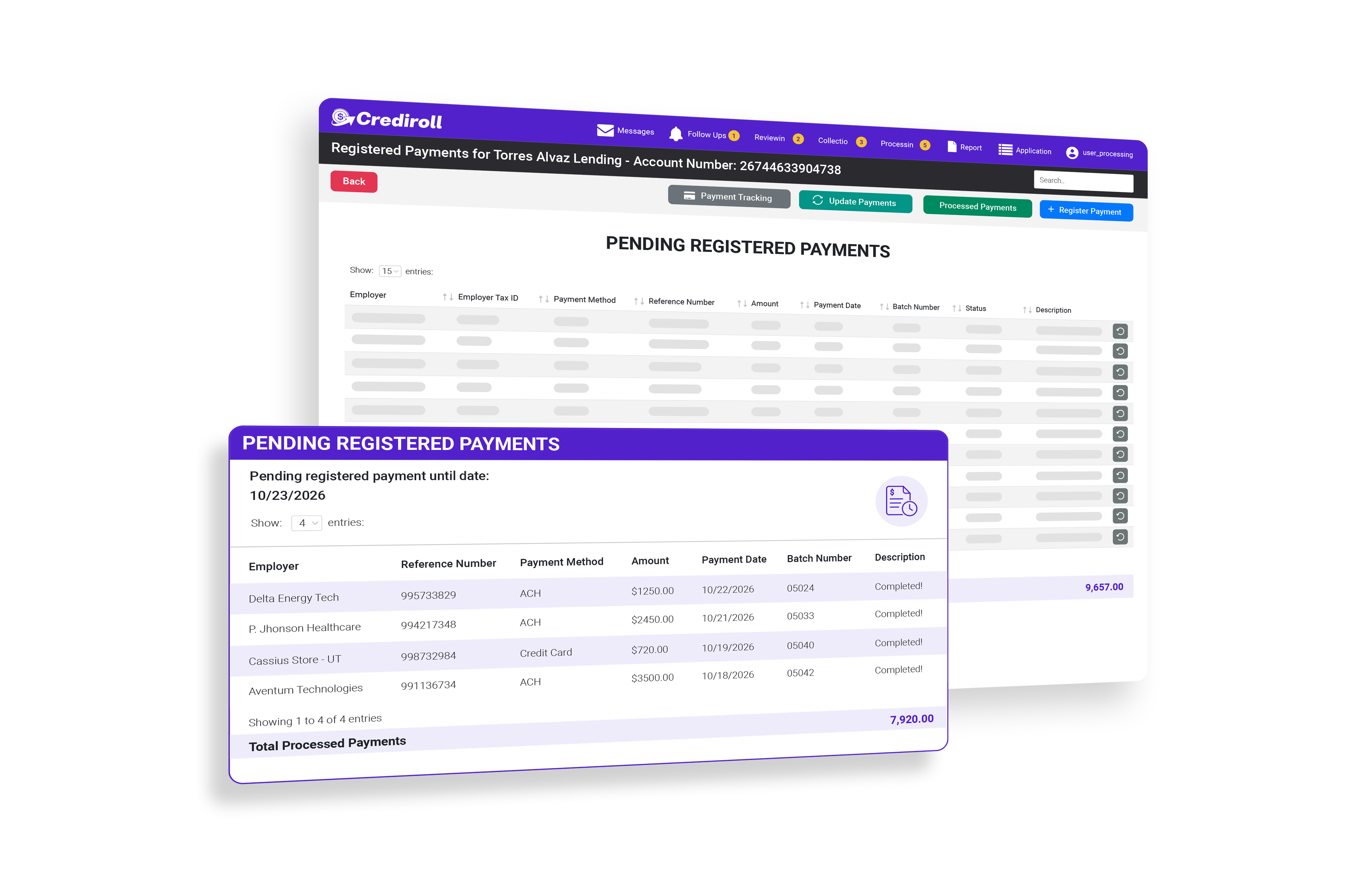
Account Balance & Core
Keep Payment Information Aligned With the Core
Crediroll connects the payment process with the lender's Core system. Your team can consult the account balance brought from the Core, register payments in Crediroll, and use the resulting information to keep track of what has been paid and what still needs to be accounted for.
Request demo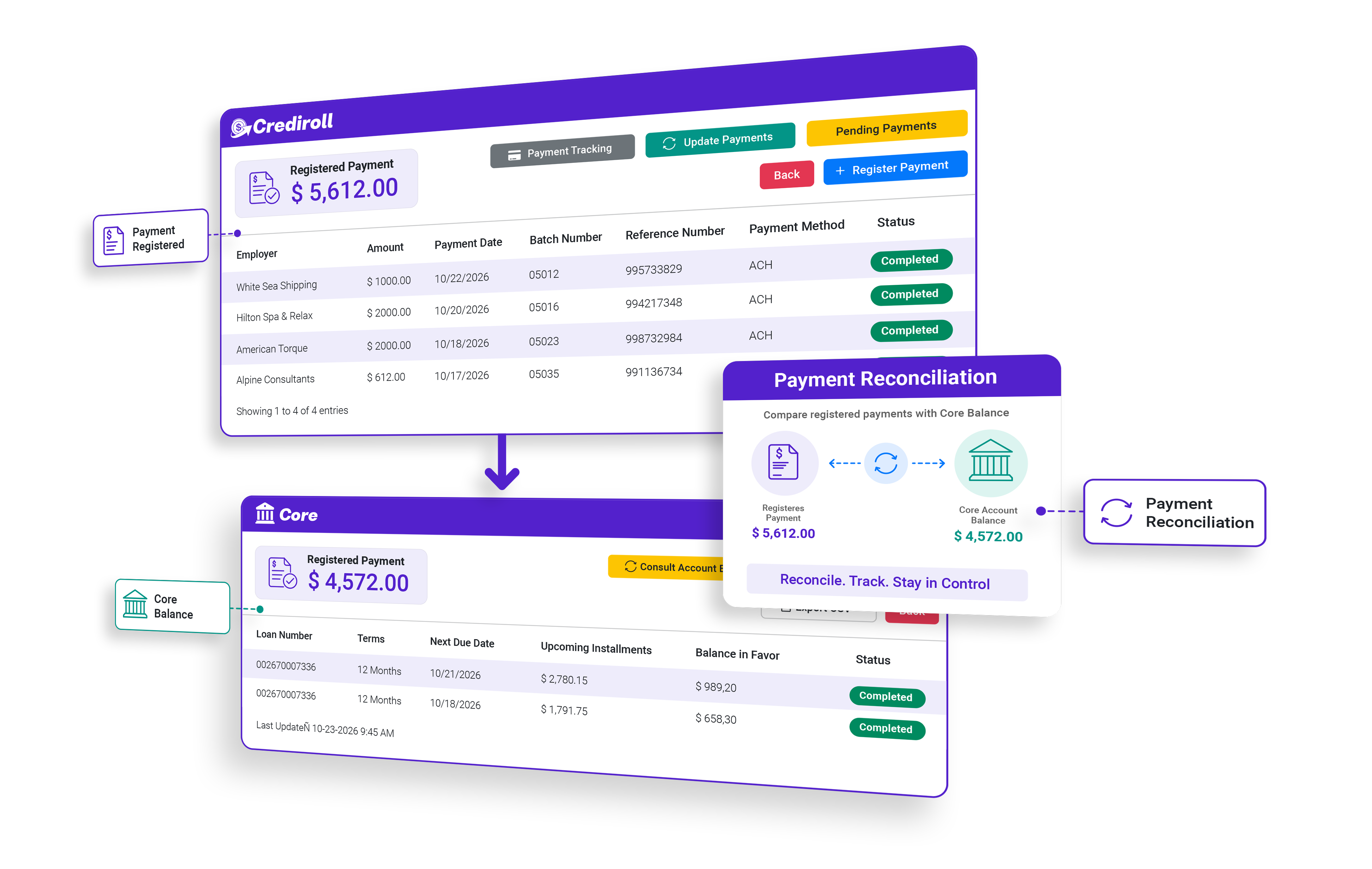
Export & Payment Reporting
Export the Payment Information Your Team Needs
Export payment and installment information directly from the collection module in CSV format. Your team can export upcoming, pending, or processed payment data for reporting, reconciliation, and internal record keeping.
Request demo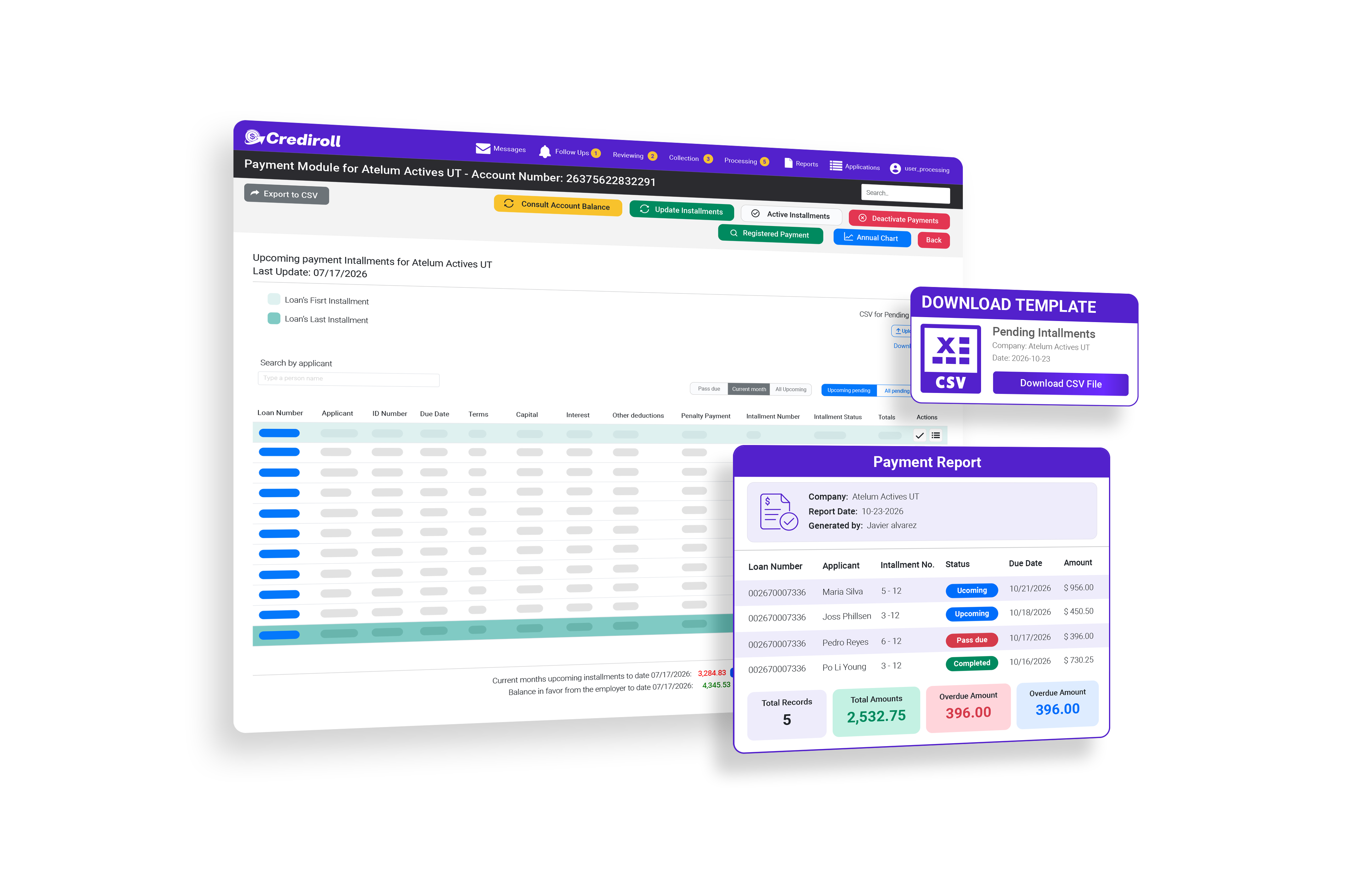
Additional Collection Tools
More Control Over
Every Payment Cycle
One platform. One connected lending operation.

Payment Schedules
Review installment dates, amounts, payment status, and upcoming obligations.

Current Month
Focus on payments expected within the current payment period.

All Upcoming
See future installments across the account and identify what is coming next.

All Pending
Review unpaid installments and keep outstanding payments visible.

Payment Observations
Add observations to pending installments to keep relevant context connected to the payment.

Processed Payments
Review payments that have already been registered and processed.
FAQ
Questions About Employer Management?
How many clients can I manage in Crediroll?
Crediroll is designed to help lenders manage multiple clients and their branches from one centralized platform.
Can each client have different lending terms?
Can I manage multiple branches under one client?
What can I configure for each client or branch?
Can different clients have different eligibility requirements?
Explore More Crediroll Features
See Crediroll in action
Discover the platform capabilities that connect your lending operation from application to repayment.
Internal Collaboration
Keep follow-ups, comments, notes, files, and activity records connected to every loan.
Learn moreReady to get started?
Ready to Manage More Clients From One Platform?
Give your team one place to manage clients, configure lending terms, and keep every lending relationship connected.
Request demo